
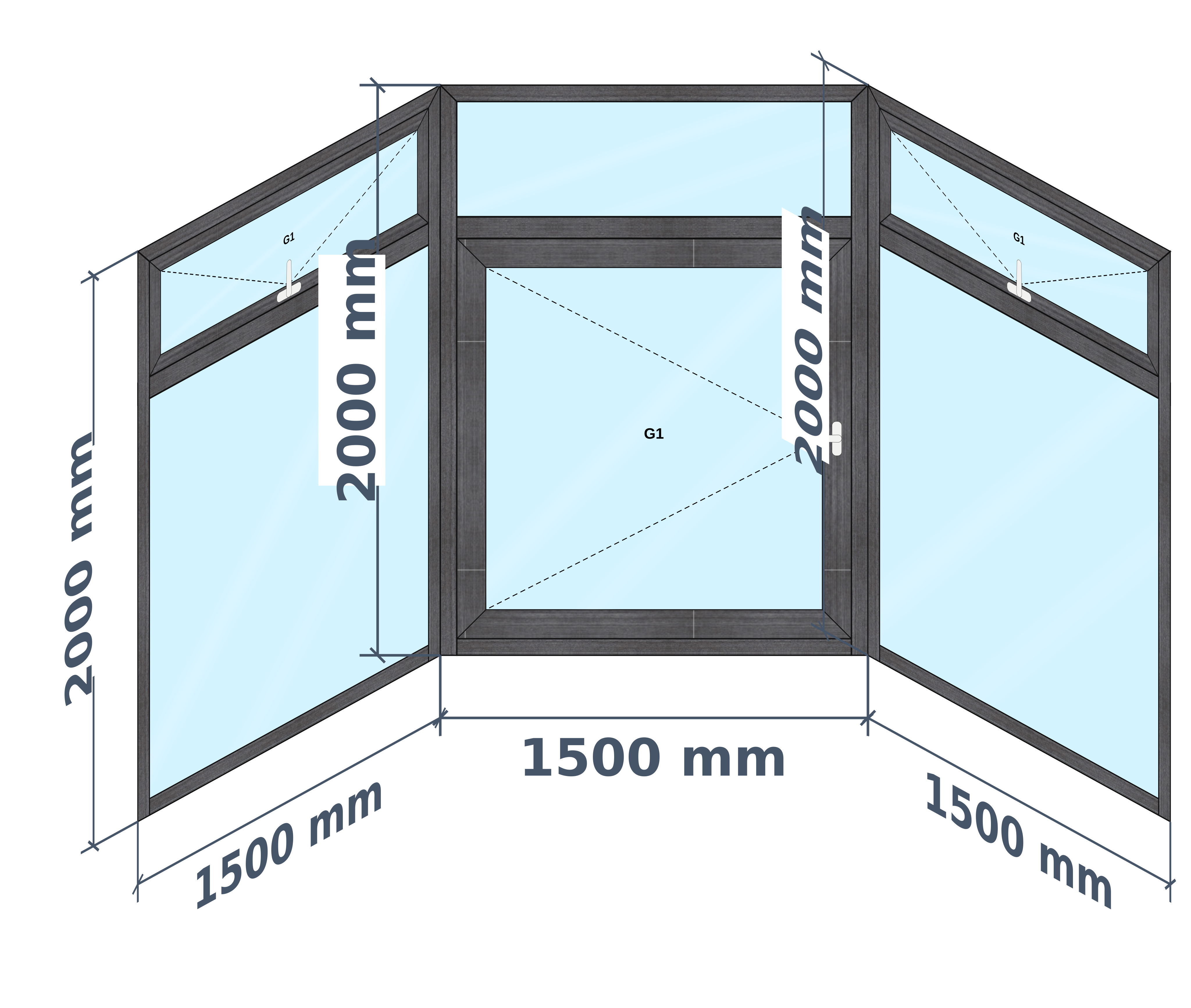
Why bay & corner windows need more than a spreadsheet
Corner and bay jobs are where manual estimates go wrong. Each wall has its own width and the angle changes how pieces meet, so one mistake can spoil a whole run of glass.
In AluSync you add walls to a window and set the angle between them. The drawing shows the walls in step, and a top view shows how the run sits on plan, so you can check the shape before you quote it.
Glass and cuts are named per wall. That matters on the shop floor: when four panes look nearly the same, the label tells the team which wall each one belongs to. Corner settings are held per product, because each series treats a corner differently.
What you can design
- Bay windows across several angled walls
- Two walls joined at 90 degrees
- Corner openings, where your product is set up for them
- Sliding or fixed glass on each wall
How AluSync handles it
A wall at a time
Add a wall, set its size and angle, and carry on. Each wall keeps its own design.
Top view included
Angled runs get a top view, so the customer can see the shape as well as the front.
Labels per wall
Glass, mesh and cuts carry their wall name onto your reports.
Corner rules per product
Each series can have its own corner settings, so one rule is not forced on every system.
Questions about bay & corner windows
Can I design a window across more than two walls?
Yes. You can add walls and set the size and angle of each one.
Are the cuts separated by wall?
Yes. Cuts and glass are labelled per wall so the workshop can tell them apart.
Does every series support corner openings?
Corner settings are held per product, so a corner opening depends on your series being set up for it.
Ready to Experience These Features?
Book a free 30-minute demo and watch your own windows go from measurement to quote to cutting list. No payment details required.
One system from first measurement to final invoice